Part II | Affinity · Claude Code · DeepSeek | −C+M+Y
Script Affinity from VS Code, part II. Using DeepSeek
In part I, we chose Claude Code instead of Claude Desktop. Start VS Code, add the Claude Code extension and keep all your notes, MD, scripts and result images in your folder. Much better workflow. *
This part II guide shows how to point Claude Code to the DeepSeek model.
Why: (Potentially) cheaper. DeepSeek charges per token instead of a monthly subscription, so you can set a token ceiling (e.g., $10) and only pay for what you use—no need to maintain a Claude subscription just to run occasional Affinity scripts.
How: DeepSeek exposes an Anthropic-API-compatible endpoint, so you can redirect Claude Code to DeepSeek instead of Anthropic—same MCP connection to Affinity, same scripts, same folder workflow, only the model backend and billing change.
Checklist
What you need
Bring this
Part I completed Affinity 3.2+ with its MCP server on, and Claude Code's .mcp.json already talking to Affinity
A DeepSeek account pay-as-you-go, not a subscription — a few dollars covers extensive testing
A DeepSeek API key created in the platform dashboard, with a small prepaid balance
A separate terminal so the redirect touches only this one session, not your normal Claude
Skip this
A Claude subscription DeepSeek billing stands in for it in this session
Any change to .mcp.json the Affinity connection stays exactly as in part I
New scripts or plugins the same scripts run unchanged — only the model backend swaps
The key idea
0Why it works
By pointing Claude Code at a different Anthropic-API-compatible backend, Claude Code gets its
answers from — in this case — DeepSeek. Those answers then get sent into Affinity's server via the
MCP client, the same way we did with Sonnet / Opus.
In a new terminal
1Redirect Claude Code to DeepSeek
Open a new terminal. Before typing claude, set these environment
variables — the eight below, taken from DeepSeek's
own Claude Code integration guide. Read in the guide also how to install Claude Code in your
terminal if not already done (npm install -g @anthropic-ai/claude-code).
Now launch Claude. You will get the Claude CLI, but in the background, DeepSeek is giving the
answers.
Do this in a separate terminal window
These variables redirect all Claude Code traffic — billing included — away from
Anthropic to DeepSeek. Set them only in a fresh terminal you open for this test, not in a
session you're already using with your normal Claude subscription.
Use the Claude extension?
The variables are just Claude Code's environment, so you can set the same ones in Claude Code's
settings.json (the env block) and the VS Code extension will use DeepSeek
too — no terminal needed. We use a terminal here because it's temporary and touches nothing
permanent: close the window and you're back to normal. If you'd rather make DeepSeek a lasting
default in the extension, put the variables in a project .claude/settings.json — but
keep ANTHROPIC_AUTH_TOKEN in the gitignored settings.local.json, never a
committed file, or you'll leak your API key.
Verify
2Checking
With Affinity running and the project folder open, type /mcp —
you should still see the affinity server connected with the same tool list as always. That
confirms the swap only touched which model is answering, not the tool connection itself. From
here you talk to it exactly as you would to Claude.
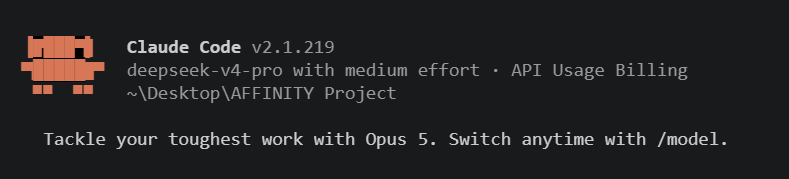
Type /model to check there are DeepSeek models and no Claude
models.
Which DeepSeek model to pick
v4-flash was the standout: roughly a third the cost of v4-pro per
output token, and it made fewer mistakes in our tests, not more — the better default for
this class of work.
* Why VS Code instead of Claude Desktop
Part I chose Claude Code in VS Code (or the CLI in your terminal) over Claude Desktop. This means Claude Code reads and saves automatically from your project folder—your plans, notes, markdown files, and scripts all live in one place. You can archive everything to GitHub and keep result images in the folder alongside your work.
In this guide, we take the same workflow and swap the model backend: instead of Claude Opus or Sonnet, we point Claude Code at DeepSeek's compatible API. Everything else stays the same—same folder, same MCP connection to Affinity, same scripts, just cheaper inference.